javier arturo rodríguez

Archive for the 'SysAdmin' Category

Prodigy Infinitum, SMTP through port 25, botnets and such

Wednesday, December 26th, 2007

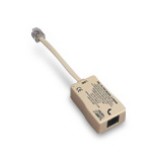
dsl.jpgAfter pulling my hair for a couple of days I just realized that my DSL provider is blocking all outgoing connections to port 25 with an ICMP Unreachable packet, which translates as a totally bogus “no route to host” message (An ICMP RST would be more kosher, BTW). The only explanation that comes to my mind is that Telmex has finally realized that it has become one of the largest botnet hosts in the world and decided to do something about it. This is a terrible inconvenience for me, because I run a backup MX at my home office and all the email I write while I’m at home is relayed through it. And now it believes that it has been cut out from the Internet, and is suffering from Internet withdrawal syndrome. Oh, and all attempts to use an external relay -like my primary MTA or the office’s- through port 25 fail as well, so I have had to set up an elaborate workaround *just to send email*.
*Argh!* I hate to pay up for those ignorant Windows home users.
Add to that the fact that i get 800KBps tops in a 2GBps line, and recurrent reports of arbitrary bandwidth capping and Infinitum stops looking like a good alternative for home broadband. I’ll have to look for a cost-effective alternative, but after experiencing 20MBps/20EUR in Europe I’m afraid that I’ve been spoiled for life.
In the meantime, if you were expecting a mail from me in the last five days or so, I’m sorry to say that it is either on its way or lost forever.
Anyway… Merry Christmas!
Update 20080104: AJ Gibson points out in a comment that Telmex is willing to remove the block from your account if you are willing to jump through a few hoops. Just go to http://www.telmex.com/mx/asistencia/correoelectronico/faq_puerto_25.html and follow the instructions there. I registered yesterday and today I can connect back to external SMTP servers again. As mentioned in the comments, YMMV.

About typos in technical manuals

Thursday, November 15th, 2007

The product you are in charge of maintaining has been in active use for a decade. The manual is several megabytes long, and there’s an army of programmers, consultants and technical writers that make a living off it. As you might guess, it’s not an inexpensive product.
One of the routine tasks for that product -let’s say, “create a new UCM project”- is throughtly documented for the GUI use case, but the manual makes absolutely no mention of the CLI-based procedure. You go through the whole procedure armed with the aforementioned documentation and lots and lots of patience, second-guessing the developers and the technical writers every step of the way, but getting the work done with varying amounts of effort and frustration.
Then, in a key command, you hit a wall. The program complains:

Created project “gpa3_project”.
cleartool: Error: Unknown policy name “POLICY_DELIVER_NCO_SELACTS” specified.
cleartool: Error: Cannot set all the policy pvars on project “gpa3_project”.
Project “gpa3_project” is now ClearQuest-enabled and
linked to ClearQuest database “COFCQ”.

Now “POLICY_DELIVER_NCO_SELACTS” returns *exactly* one match in Google, and it points to the aforementioned documentation. It’s “POLICY_DELIVER_NCO_SELACTS” all over.
After a lot of frustration,

strings /opt/rational/clearcase/linux_x86/shlib/libatriasum.so|grep -i policy_|sort

shows that “POLICY_DELIVER_NCO_SELACTS” is a typo. They really meant “POLICY_DELIVER_NCO_SELACT” instead. No final “S”, you see! And this happened SOME TIME IN THE LAST TEN FREAKING YEARS.
The list of things I’d like to do to the project managers, documentors, and technical writers of this particular product suite is too graphic even for the Internet.
And most importantly — how do they get away with these levels of incompetence?

Attansic L1 Gigabit Ethernet driver for Debian

Friday, July 20th, 2007

m2v.jpegI just got a new ASUS M2V motherboard to replace a braindead server that would lock up on POST about 75% of the time. The new motherboard has a built-in Attansic L1 Gigabit Ethernet Adapter that is supported in Linux >= 2.6.21, but its driver is still missing from the daily Debian netinst CDs.

04:00.0 Ethernet controller [0200]: Attansic Technology Corp. L1 Gigabit Ethernet Adapter [1969:1048] (rev b0)
Subsystem: ASUSTeK Computer Inc. Unknown device [1043:8226]
Flags: bus master, fast devsel, latency 0, IRQ 25
Memory at fbcc0000 (64-bit, non-prefetchable) [size=256K]
Expansion ROM at fbca0000 [disabled] [size=128K]
Capabilities: [40] Power Management version 2
Capabilities: [48] Message Signalled Interrupts: Mask- 64bit+ Queue=0/0 Enable-
Capabilities: [58] Express Endpoint IRQ 0
Capabilities: [6c] Vital Product Data

I tried David Johnson’s pre-compiled driver for AMD64 but it didn’t work right away, so I compiled AtL1Linux_v1.0.41.0 for the stock 2.6.18-4-486 kernel in the official Debian 4.0 netinst CD and tested it. Although it was supposed to work right out of the box I kept getting “invalid module format” messages. So I stripped out the version information with

$ objcopy -R .modinfo atl1.ko

and it worked immediately. I completed the installation and I will upgrade the server to 2.6.21-2-amd64 over the weekend. So here is a atl1.ko for 2.6.18-4-486 that should work just fine.

By the way, I stripped the version information off David’s atl1.ko but I didn’t get a chance to test it because I was in a hurry. Here it is anyway in case someone finds it useful: atl1.ko for 2.6.18-4-amd64.
Oh, by the way, the M2V has four PCI slots but no built-in VGA adapter, and most PCI-e video cards are so thick that the first slot becomes unusable. Since I bought this motherboard precisely to maximize the number of available PCI slots in the server… well, it just sucks.

Gecko/20070601 C64/Commodore

Monday, July 9th, 2007

firefox-c64.jpegI tought this was just a SpreadFirefox stunt, but I just found the most strange User-Agent in an Apache server log

Mozilla/5.0 (X11; U; Commodore64; en-GB; rv:1.9.0.10) Gecko/20070601 C64/Commodore OS C64

*heh!* I guess it takes another Commodore fan to appreciate this kind of humor.

Moving from MyISAM to InnoDB: bulk table conversion

Tuesday, May 1st, 2007

A couple of years ago Ludovico Magnocavallo tackled the issue of bulk conversion of MySQL tables from MyISAM to InnoDB with an elegant bash snippet.

for t in $(mysql –batch –column-names=false -e “show tables” mydbname); do
mysql -e “alter table $t type=InnoDB” mydbname;
done

The original post also suggests using grep to limit the scope of the conversion to just a few tables.
(It seems that now Google *does* yield practical answers to this question ;-)

Tags: , ,

μHOWTO: Recover an empty kcontrol tree

Saturday, April 7th, 2007

empty kcontrolLast night I opened KDE control center to change my desktop settings and I was shocked when I found that kcontrol was empty but for the OBEX Devices panel. Alll the modules that were supposed to be inside kcontrol where inside the KDE “Lost and Found” folder instead. A superficial search in the KDE mailing lists returned a few matches about this problem on KDE4 (did you know that kcontrol is currently unmaintained and that it’s gonna die real soon now?) but I’m currently in KDE 3.5.5 so that doesn’t apply to me.
Tonight Google came to the rescue: after digging a bit more I found this post in the debian forums which mentions that this might be a bug in a debian package and spells out the answer to my problem:

$ sudo ln -s /etc/xdg/menus/applications-merged/kde-essential.menu /etc/xdg/menus/kde-applications-merged/kde-essential.menu

recovered kcontrolVoilá! Now my kcontrol is fully populated again.

μHOWTO: Enable the SATA CD-ROM Drive in the Dell Latitude D620

Thursday, September 21st, 2006

After a few weeks using the auxiliary battery instead of the CD-ROM drive, I needed to read a DVD. Surprise! It didn’t work. Reboot. Still no luck.
dmesg didn’t show anything about IDE, and /proc/ide was empty. It was like the CD-ROM didn’t exists at all.
The explanation might be that the CD-ROM is a SATA drive, not PATA. Graham William’s GNU/Linux Desktop Survival Guide holds the key to enable the drive. In short:

# echo “libata atapi_enabled=1″ >> /etc/mkinitrd/modules
# cp /boot/initrd.img-`uname -r` /boot/initrd.img-`uname -r`.bak
# mkinitrd -o /boot/initrd.img-`uname -r`
# reboot

Voilá.
(Part of the ongoing Debian GNU/Linux on Dell D620 saga.

μHOWTO: Run VMware Player under Debian GNU/Linux

Saturday, September 16th, 2006

VMware PlayerVMware has made available VMware Player for free for a few months now. I had been having problems making it run under the latest kernels in Debian GNU/Linux until I found out about the Czech University vmware-any-any patch. Of course, this is unsupported, so YMMV.

A typical installation run would go like this:

$ cd /tmp
$ wget http://download3.vmware.com/software/vmplayer/VMware-player-1.0.2-29634.tar.gz
$ tar -zxvf VMware-player-1.0.2-29634.tar.gz
$ cd vmware-player-distrib
$ sudo ./vmware-install.pl

Answer the questions about installation directories, initscript dirs and such, but *do not configure VMware yet*. I repeat: do not configure VMware yet.

Now we’ll patch the source with vmware-any-any

$ cd /tmp
$ wget http://ftp.cvut.cz/vmware/vmware-any-any-update104.tar.gz
$ tar -zxvf vmware-any-any-update104.tar.gz
$ cd vmware-any-any-update104
$ sudo ./runme.pl

This will patch the vmware-config.pl script, the kernel modules source code and the VMware binary itself if necessary. Now you may run vmware-config.pl when prompted. Please note that for this you must install the linux-tree-2.6.xx package for your current kernel version, and the source must be unpacked under /usr/src/linux. This is supposed to work fine when you have installed just the kernel headers instead, but I always go for the full kernel because -as you may have noticed- I compile a bunch of stuff into my kernel anyway.
After module compilation vmware-config.pl will prompt for network configuration and prompt to enable the Google searchbar (!). The last lines in the configuration should be something like this:

The configuration of VMware Player 1.0.2 build-29634 for Linux for this running
kernel completed successfully.

You can now run VMware Player by invoking the following command:
“/opt/vmware-player-1.0.2-29634/vmplayer”.

Enjoy,

–the VMware team

Now you may head back to VMWare’s site to download a pre-configured appliance to run in your brand-new VMware player installation. Or go to EasyVMX to build your very own virtual machine. In any case, remember to drop a line to thank VMware for releasing this kick-ass product for free!

xorg.conf configuration for nVidia TwinView on the Dell D620

Friday, September 8th, 2006

I managed to get TwinView working on the Dell Latitude D620 under Debian GNU/Linux and I’ve been using it for a few weeks now without any problem whatsoever.

The key section in /etc/X11/xorg.conf is this:

Section “Device”
Identifier “Generic Video Card”
Driver “nvidia”
BusID “PCI:1:0:0″
Option “TwinView”
Option “MetaModes” “1280×1024, 1440×900; NULL, 1440×900″
EndSection

Section “Monitor”
Identifier “Generic Monitor”
Option “DPMS”
HorizSync 28-72
VertRefresh 43-60
EndSection

Section “Monitor”
Identifier “External Monitor”
Option “DPMS”
HorizSync 28-72
VertRefresh 43-60
EndSection

I’m using an external 1280×1024 LCD, and I use the KDE control center (Peripherals/Display) to switch between metamodes. The nice thing is that whenever the X server starts and it doesn’t sense the external display it automagically defaults to using only the built-in display. Moreover, TwinView handles gracefully the “hole” below the 1440×900 display. Now what I’d really like to do is to specify that the primary monitor is the built-in display instead of the external LCD, but that can wait a bit longer.

Of course, you can download the complete xorg.conf I’m using, with my finely-tuned (right) TrackPoint and TouchPad configuration.

μHOWTO:Get over subversion’s DB_VERSION_MISMATCH error

Monday, August 21st, 2006

After running several updates on a particular server during the weekend, this morning I got a report that svn was down. a quick insection of libapache2-svn error log turned out this error message:

[Mon Aug 21 12:24:18 2006] [error] [client 172.26.0.73] (20014)Error string not specified yet: Berkeley DB error for filesystem /var/lib/svn/db while opening environment:\nDB_VERSION_MISMATCH: Database environment version mismatch
[Mon Aug 21 12:24:18 2006] [error] [client 172.26.0.73] Could not fetch resource information. [500, #0]
[Mon Aug 21 12:24:18 2006] [error] [client 172.26.0.73] Could not open the requested SVN filesystem [500, #160029]
[Mon Aug 21 12:24:18 2006] [error] [client 172.26.0.73] Could not open the requested SVN filesystem [500, #160029]

After googling it I found out that this has been reported as Debian Bug#342508, which promptly refers you to read /usr/share/doc/subversion/README.db4.3.gz. The recipe works just fine, and I reproduce it here for completeness:

# cd /var/lib
# mv svn svn-maint
# cd svn-maint/db
# db4.2_checkpoint -1
# db4.2_recover
# db4.2_archive
# svnlook youngest ..
# db4.3_archive -d
# cd /var/lib
# chown -R www-data.www-data svn-maint
# mv svn-maint svn

In the same document there’s a note that recommends to migrate the repository from DBD to FSFS. Since I’ve seen some serious trouble with OpenLDAP’s Berkeley DB backend before and the SVN database is over 1GB right now, I’ll schedule a mainteinance window for this migration ASAP.

μHOWTO: Install perl libraries in bulk

Wednesday, August 9th, 2006

When you have to install packages that live out of dpkg, don’t you hate to install their dependencies by hand? I do.
Even though this is exactly what CPAN.pm does, there is a Debian way: If you have another machine with the correct dependencies already installed, you can use dpkg to copy those over.
For instance, this one-liner requests installation of the same Perl libraries that live in another machine:

$ ssh original.machine.com ‘dpkg –get-selections’|grep ‘^lib.*perl’|grep ‘install$’|dpkg –set-selections
$ sudo aptitude -f install

You may replace the first regexp to whatever your want (e.g. “^libapache-mod” for perl modules, “^lib.*java” for Java libraries and so on).
Gotta love Debian.

Add swap space to Linux

Wednesday, July 19th, 2006

This is an old sysadmin trick, but a good one all the same.
Suppose that you finished installing a brand-new Debian GNU/Linux server, and for whatever reason you forgot to set aside some space for a swap partition. Or you correctly got some swap space at installation time but now you desperately need some more. Well, despair not. It’s a little known fact that you can have swap space in a file on top of the filesystem instead of using a dedicated block device.
This simple recipe will give you 2Gb of swap space. Here we go:

# mkdir /var/swap
# chown root.root /var/swap
# chmod 700 /var/swap
# dd if=/dev/zero of=/var/swap/01.swp bs=1024 count=2M
# chown root.root /var/swap/01.swp
# chmod 600 /var/swap
# mkswap /var/swap/01.swp

Now add this newly created swap space to your /etc/fstab:

/var/swap/01.swp none swap sw 0 0

Teoretically, you won’t get the same performance as using a dedicated block device, and if the file actually gets fragmented it might drop rigt to the floor, so if you try this at all do it as soon as possible after installation. So if what you’re trying to do is to *increase* your available swap space instead, you may add a priority option to give preference to the block-device swap space:

/dev/hda1 none swap sw,pri=1 0 0
/var/swap/01.swp none swap sw,pri=2 0 0

And just this time activate the swapspace with addswap (The initscripts will do it on every boot thereafter):

# swapon -av

That’s all there is to it. I particularily like how newer BOFH generations look at this with some skepticism at first, and with endless amazement later.

reiserfs and dd_rescue for data recovery

Sunday, July 16th, 2006

Last thursday the hard disk drive on a development machine died big time. First it started to behave erratically and dmesg showed that it has having trouble with some bad blocks. It did not survive a reboot: ReiserFS woud not mount it on boot, and reiserfsck running from an Accelerated Knoppix CD refused to bring it back to life. At first glance, the disk was beyond repair.
Of course, upon closer inspection, it turned out that the warranty expired exactly two months ago. Normally -after swearing my heart off- I would just replace the disk and make myself a nice paperweight or some other modern art piece -I’ve been looking forward to make one of those nice HDD clocks- but in the guts of that particular HDD were some uncomitted changes that I just wasn’t on the mood of rewriting. Besides, even though most of the data was expendable, the configuration hadn’t been backed up in quite a while (Yes, there is a pattern here).
So here’s the recipe I usually apply in these situations using Kurt Garloff’s dd_rescue. First get a brand-new HDD of approximately the same capacity and place both disks in a working Linux box (Depending on your necessities, booting from Knoppix might do). Let’s call the old, dying HDD /dev/hdg, and the spankin’ new disk will be /dev/hde. For the sake of simplicity, let’s assume that /dev/hdg was partitioned in /dev/hdg1 for swap and /dev/hdg2 for data.
First we’ll copy the entire data partition from /dev/hdg2 to /dev/hde2:

# dd_rescue /dev/hdg2 /dev/hde2

This will take a long, long time. dd_rescue starts with a reasonable block size, but whenever it encounters and error it retries a few times with a smaller block size before skipping the defective blocks and moving along. This is useful because it will copy all data in every readable block, instead of giving up at the first error like dd does. In my case, this took more than a day for a 248GB partition.
Once the data is in a new disk you can try to mount it directly, although it is a good idea to run reiserfsck first to make sure that the files you’ll copy are usable.

# reiserfsck /dev/hde2

Now here you might run into a small obstacle. Ideally I would buy the exact same model as the old drive for recovery purposes, because that guarantees that an exact bit-for-bit copy will work in most cases, partition maps and all. However in this case I bought a different brand, which resulted in a slightly smaller drive and a completely different geometry. When this happens, reiserfsck will complain about the different partition size, and suggests that you rebuild the superblock:

# reiserfsck –rebuild-sb /dev/hde2

Now you can do a normal reiserfsck.
When you’re done just mount the new partition and copy your data to a safe place:

# mount /dev/hde2 /mnt/tmp
# rsync -a –progress /mnt/tmp/etc /backup/dir/
# rsync -a –progress /mnt/tmp/home/arturo /another/backup/dir/

After this you can reformat the new drive for normal usage. Mine is being debbootstrapped as I write this.
This little recipe has saved quite some data and a few disks, including most of mcleod’s late Xbox hard disk. As usual your mileage may vary, but with a litle luck you just might get some of your files back.
Now about that crappy Maxtor HDD… I might just go for the wind chimes instead.

gammu

Thursday, March 16th, 2006

Gammu -the GNU All Mobile Management Utilities formerly known as MyGnokki2- is a full-featured cellphone manager for *nix and Win32. Its makefile knows about .debs and .rpms, it is incredibly easy to configure and -unlike Gnokii- it supports the Nokia 3200 (RH-31) right out of the box through an inexpensive DKU-5 cable.
Right now I’m using this simple /etc/gammurc under Debian GNU/Linux with kernel 2.6.12:

[gammu]
port = /dev/ttyUSB0
model = 3200a
connection = dku5fbus
synchronizetime = yes
#logfile = gammulog
#logformat = textall
use_locking = yes
gammuloc = locfile
startinfo = yes
gammucoding = utf8
rsslevel = teststable
usephonedb = yes

# gammu –identify duly reports

Manufacturer : Nokia
Model : 3200a (RH-31)
Firmware : 5.29 I (22-10-04)
Hardware : 1620
IMEI : 356656xxxxxxxxx
Original IMEI : 356656/xx/xxxxxx/x
Manufactured : 06/2005
Product code : xxxxxxx
Simlock data : xxxxxx
Old simlock : TELCEL GSM (xxx xx)
UEM : xxxx

Find out LDAP client IPs

Monday, January 23rd, 2006

ips.pl is a simple perl filter that processes SunONE Directory Server 5.2 access logs to find out the IP addresses that queries are coming from. It’s very useful to evaluate the impact for migrating LDAP infrastructures. Most comments and variable names are in spanish but the code should be clear enough to any SODS sysadmin. Or drop me a line if you absolutely need an all-english version.

#!/usr/bin/perl
# ips.pl $Revision: 1.1 $
# Analiza archivos access de Sun ONE Directory Server 5.2 para generar
# reporte de IPs de clientes y servidores
# Copyright (C) 2005 Javier Arturo Rodriguez
use strict;
my($acceso);
my $filename = shift @ARGV;
die(“Usage:\t$0 <filename>\n\tbunzip2 -c <filename.bz2> | $0 -\n) unless $file
name;
open(FILE,“<$filename”);
while(<FILE>) {
        chomp;
        if($_=~m,^\[(.*?)\].*?connection from ([\d\.]+) to ([\d\.]+),) {
                $acceso->{$3}->{$2}->{TS}=$1;
                ++$acceso->{$3}->{$2}->{CNT};
        }
}
close(FILE);
foreach my $dst (sort keys %{$acceso||{}}) {
        print “Acceden a traves de $dst\n;
        foreach my $src (
                reverse sort { $acceso->{$dst}->{$a}->{CNT} <=> $acceso->{$dst}
->{$b}->{CNT} }
                keys %{$acceso->{$dst}||{}}
        ) {
                printf(“  %-15s (last seen on %s; %d hit%s)\n,
                        $src,
                        $acceso->{$dst}->{$src}->{TS},
                        $acceso->{$dst}->{$src}->{CNT},
                        $acceso->{$dst}->{$src}->{CNT}==1?:’s’,
                );
        }
}

(Download)

Mitigate the .WMF vulnerability with Exim, Squid and SquidGuard

Monday, January 2nd, 2006

Unless you’ve been on holiday leave you’ve probably heard about the WMF vulnerability by now. Everything seems to indicate that Microsoft won’t take action to patch this gaping hole before January 9th, so here are a few measures to be on the safe side.

1. Before you do anything else, go ahead an unregister SHIMGVW.DLL

C:\> regsvr32 -u %windir%\system32\shimgvw.dll

Put this in a login script, and just for good measure go ahead an run it in every Windows box you’re responsible for. Heck, run it even in those you’re *not* responsible for as well.

2. I already got quite a few .WMF attachments on the spamtraps. F-Secure has a very interesting specimen and a lot to say about it. So the next step is to block them in exim.conf. Enable the acl_check_content ACL and make sure that you have a rule like this one:

deny message = This message contains an unwanted file extension ($found_extension)
demime = scr:vb:vbs:vbe:js:jse:reg:bat:lnk:pif:hlp:dll:com:rar:wmf

3. SquidGuard can filter URLs that match a given regular expression. Add these regexes to a local-blocks/expressions or similar file:

http://.*\.(scr|vb|vbs|vbe|jse|reg|bat|lnk|pif|hlp|com|rar|wmf)($|\?)
ftp://.*\.(scr|vb|vbs|vbe|jse|reg|bat|lnk|pif|hlp|com|rar|dll|js|wmf)($|\?)

Note that the .dll and .js extensions aren’t blocked for HTTP. That’s because the lovely IIS uses the .dll suffix for its extensions, and you can’t block JavaScript for HTTP either unless you want to break 90% of the Internet for all your local clients. I firmly belive that blocking them for FTP is just fine, tough.
Update 20060102 125530: Jeremy Gaddis shares a squid recipe.

Of course, this only applies if you use exim and Squid+SquidGuard -which by the way are all excellent Open Source products- but the same principle applies to any other mail and proxy servers. If you implement all three recommendations you should be fine. User should not get .WMF files through email or the Web. Even if a clueless user catches it though some other means (IM, external e-mail account, a *ack!* floppy disk/CD-ROM/flash drive, a helpful colleage, etc.) the REGSVR32 workaround should keep the exploit at bay. If you definitely need to work with WMFs, there are other alternatives as outlined by Richard Bejtlich. Just don’t hold your breath for a Microsoft-backed patch.

<rant>And about Microsoft’s “swift” response to this issue: The next time that someone gives me the line about not using Open Source because there’s nobody to take responsibility for problems, I’ll puch him in the face without further warning.</rant>

29 queries. 1.801s  $Revision: 1.6 $
Use Any Browser! Valid XHTML 1.0   Powered by WordPress Powered by Apache Web Server Hacker Emblem