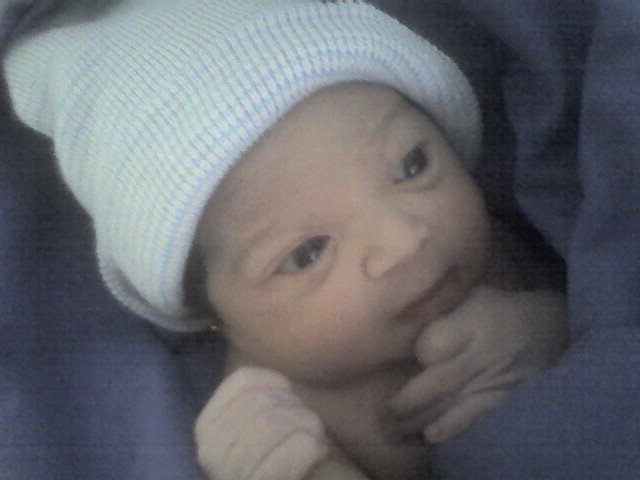
 Magdalena Rodríguez Delgado was born last Tuesday, June 5th 2007, sometime around 18:05 GMT. At birth she was 49cm long and weighed 3.220Kg. Just like her mother, she has a strong, commanding voice and powerful lungs behind it.
In the strange state I’m on right now -neither asleep nor awake, with hardly any sleep on the last three days- I can barely believe that I’m a Dad. And I’m completely, absolutely, positively happy.
[tags]newborn,baby[/tags]
Month: June 2007
Fix Adobe Acrobat Reader’s “expr: syntax error” message
After I upgraded a few system libraries Adobe Acrobat stopped working and started to print an endless lethany of “expr: syntax error” messages. A quick google search later I found the fix detailed in at least a couple of places: Find acroread (it’s a shell script, probably in /usr/local/bin or under whichever-directoy-you-specified-during-installation/bin) and apply this patch:
--- acroread.old        2007-06-01 18:18:49.000000000 -0500
+++ acroread    2007-06-01 18:20:57.000000000 -0500
@@ -415,7 +415,7 @@
            return 1
         fi

-               echo $mfile| sed 's/libgtk-x11-\([0-9]*\).0.so.0.\([0-9]\)00.\([0-9]*\)\|\(.*\)/\1\2\3/g'
+               echo $mfile| sed 's/libgtk-x11-\([0-9]*\).0.so.0.\([0-9]*\)00.\([0-9]*\)\|\(.*\)/\1\2\3/g'
         return 0
     fi
Or just fire up vi(1) and add an asterisk after the second [0-9] block in line 418.
Even tough the problem has been solved, now this is kind of moot. See, I’d rather use acroread than xpdf any day because its navigation is a lot more natural than xpdf’s, and just to be honest xpdf is showing its age and is just plain ugly. However Adobe is starting to piss me off with its inclusion of the Yahoo toolbar in Acrobat Reader and its pitiful insistence to install n upgrades every single freaking time I open a PDF file. So I’ve started to use kpdf instead which feels a bit slower but starts up in a blink, looks a lot cleaner, doesn’t include spyware and displays the PDFs I’ve fed to it with decent antialiasing.
$ echo "alias acroread=kpdf" >> $HOME/.bashrc
So -just to be clear- in my opinion the best way to fix this problem is to stop using acroread and just use something else. Adobe: thank you for screwing up one of your nicer products, and see you never.